
Create stunning videos with ease today
Windows Movie Maker is a free software that allows users to create and edit videos efficiently. Its straightforward timeline editing and drag-and-drop features make it relevant for hobbyists and students looking to produce content without technical complexity. The software supports multiple media types, transitions, and audio clips, providing a practical solution for casual video creation and educational projects alike.
Top Recommended Alternative
The software delivers stable performance and smooth workflow, using export options and basic effects for finalizing projects. Compared to alternatives like OpenShot or Shotcut, Windows Movie Maker focuses on simplicity, enabling beginners to create videos quickly without overwhelming settings
Seamless tools for creative video projects
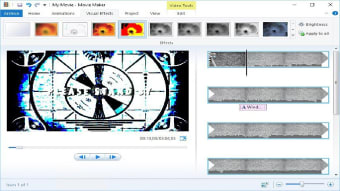
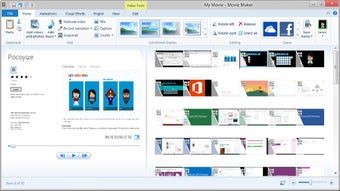
Windows Movie Maker includes timeline editing, letting users arrange clips, images, and audio efficiently. Its drag-and-drop features make adding and moving elements intuitive, reducing setup frustration for newcomers. While professional editors offer multi-track capabilities and advanced effects, this software prioritizes simplicity and accessibility. Beginners can produce polished and functional videos without facing steep learning curves or navigating complicated menus, making the editing process straightforward and approachable for everyone.
The export options allow users to save projects in various formats for playback or sharing. Performance stays consistent across devices, and the basic effects enhance visual quality for clips. While some users may notice the absence of advanced transitions or color correction, the software’s simplicity ensures accessibility. Beginners can create videos quickly and efficiently, making it a friendly, straightforward tool for fast and hassle-free content creation.
The software uses drag-and-drop features to combine video, audio, and images into cohesive projects. While alternatives like Kdenlive or Lightworks offer more advanced functionality, the free access, straightforward workflow, and reliable performance make it ideal for casual creators. Recent updates have improved export options and enhanced overall stability, ensuring the software remains dependable and efficient for basic video editing tasks and everyday content creation needs.
Effortless video editing for beginners and hobbyists
Windows Movie Maker delivers reliable video editing with timeline editing, drag-and-drop features, and export options. Its free access, intuitive workflow, and stable performance make it ideal for beginners, students, and hobbyists. The simplicity, basic effects, and updated export functionality ensure casual users can produce engaging videos efficiently, making it a practical and essential tool for straightforward video creation.